New — Desktop-App available for macOS (minimum version macOS 12.0). Download now from Apple App Store

QLExtensions app

Beautiful Markdown previews directly in macOS Finder.
Preview Markdown documents instantly with Quick Look — no editor required.
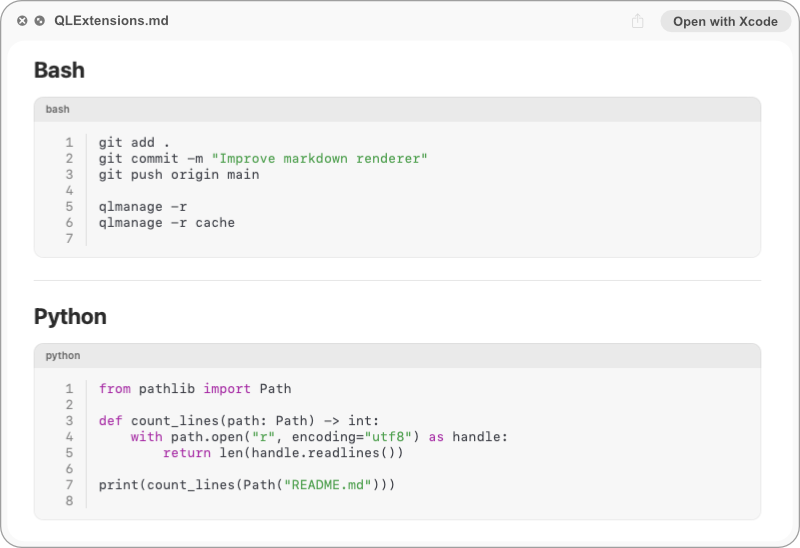
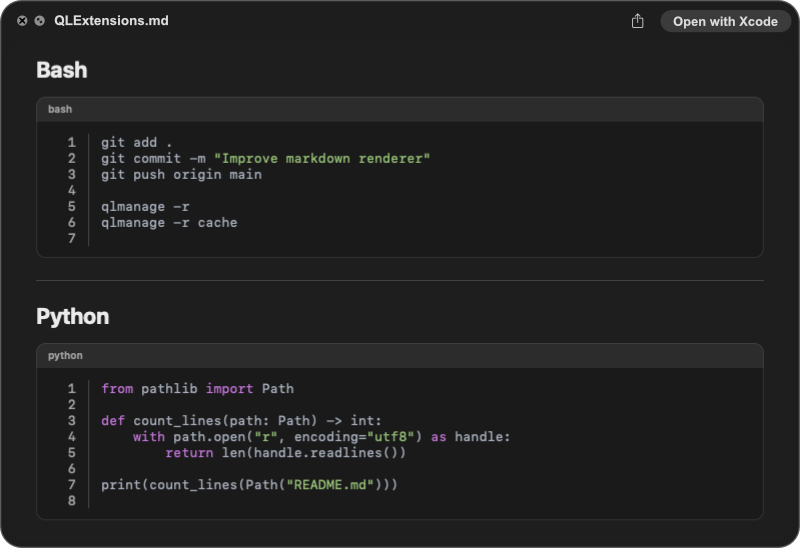
Preview Markdown example

Supports modern GitHub-Flavored Markdown including tables, task lists, images, code blocks with syntax highlighting, alerts, blockquotes, nested lists, and rich text formatting.

Rendered Markdown code with syntax highlighting

Supported content

QLExtensions renders a wide range of Markdown content and related file formats with native macOS styling and fast performance.

Markdown
  • Headings
  • Lists
  • Tables
  • Images
  • Code blocks
  • Blockquotes
Code Highlighting
  • Python
  • Swift
  • JavaScript
  • PHP
  • Ruby
  • C / C++
Config Files
  • JSON
  • YAML
  • TOML
  • INI
  • XML
Other formats
  • HTML / CSS
  • SQL
  • GitHub Flavored Markdown
  • Task lists

What is QLExtensions?

QLExtensions brings beautiful Markdown previews to macOS Quick Look. Simply select a Markdown file in Finder and press the Space key to view a fully rendered preview without opening an editor.

[*] Quick Look Integration — Preview Markdown files instantly in Finder using the Space key.
[*] Beautiful Markdown Rendering — Clean typography with support for headings, lists, tables, blockquotes, and more.
[*] Syntax Highlighting — Display source code with language-aware syntax highlighting for improved readability.
[*] GitHub-Flavored Markdown — Supports task lists, fenced code blocks, strikethrough text, alerts, and modern Markdown features.
[*] Image Support — Render local images referenced from Markdown documents and project folders.
[*] Native macOS Experience — Built with Swift and SwiftUI for fast performance and seamless system integration.
See the App →

FAQ

QLExtensions is a macOS Quick Look extension that provides beautiful previews for Markdown files directly in Finder. Simply select a Markdown document and press the Space key to view a fully rendered preview without opening an editor.

QLExtensions supports headings, lists, task lists, tables, code blocks with syntax highlighting, blockquotes, images, GitHub-style alerts, horizontal rules, inline formatting, and many other GitHub-Flavored Markdown features.

No. QLExtensions is designed for previewing Markdown files quickly. It works alongside your favorite editor, allowing you to inspect documentation, README files, and notes without launching a separate application.

Yes. QLExtensions automatically follows your macOS appearance settings and provides a native experience in both Light Mode and Dark Mode.

Yes. QLExtensions is optimized for modern GitHub-Flavored Markdown and is ideal for browsing README files, project documentation, changelogs, and technical notes directly from Finder.

No. QLExtensions runs entirely on your Mac and previews local Markdown files without requiring an internet connection.

QLExtensions is perfect for developers, technical writers, DevOps engineers, students, and anyone who regularly works with Markdown documents.

No, QLExtensions is currently a commercial product. Open-source options may be considered in the future, but there are no plans at this time.

Download

Download on the App Store